 how-to
What Does Song Mixing Mean? A Beginner's Guide
Table of Contents
- What Does Song Mixing Mean? A Plain-Language Definition
- How to Mix a Song: A Step-by-Step Workflow for Beginners
- Mixing vs Mastering: What's the Difference?
- Using EQ in Audio Mixing to Create Clarity and Separation
- How Long Does It Take to Mix a Song?
- What Mixing Can and Cannot Fix
- When to Hire a Professional Mixer (and Why Choose Slick Sound Productions)
- Conclusion
- Frequently Asked Questions
Last Updated: October 19, 2026
What Does Song Mixing Mean? A Plain-Language Definition
Song mixing is the process of taking all the separate recordings from a session and combining them into one balanced stereo track.
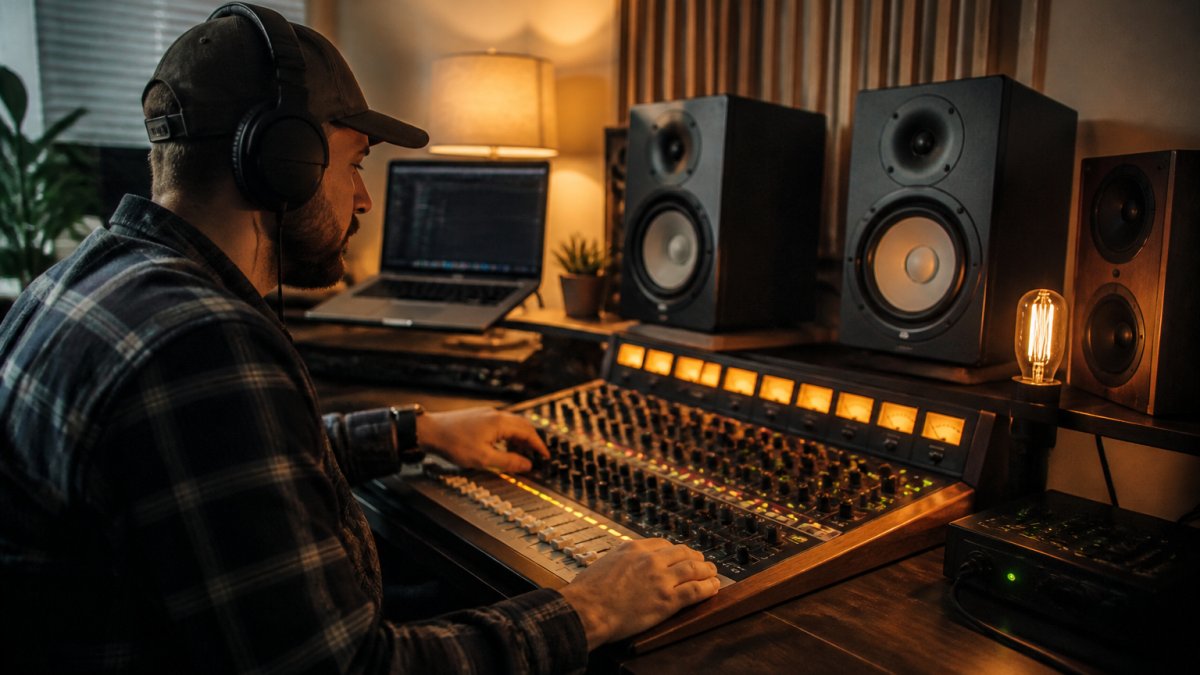
You start with a multitrack session. That's a project file holding every recorded part on its own channel: lead vocals, backing vocals, kick drum, snare, bass, guitars, keys, and anything else you tracked.
Mixing means shaping those tracks with volume, panning, EQ, compression, and effects until they work as one piece.
The Before-and-After: A Multitrack Example
Picture a rough session. The vocal is buried under a loud guitar. The bass and kick drum fight each other. The snare sounds thin and boxy.
Now imagine the same tracks after a mix:
- The vocal sits forward and clear, with space around it
- Kick and bass lock together instead of colliding
- Guitars sit wide in the stereo field, leaving the center free for vocals
Same recordings. Different result. That gap is the mix.
How to Mix a Song: A Step-by-Step Workflow for Beginners
Here's a simple workflow that works for any genre. Follow it in order and you'll avoid the most common beginner trap: jumping straight to plugins before the basics are right.
| Step | What You Do | Time Estimate |
|---|---|---|
| 1. Prepare | Clean tracks, set levels, label everything | 30-60 min |
| 2. Balance and pan | Set faders, place sounds across the stereo field | 45-90 min |
| 3. Shape and check | EQ, compression, effects, reference checks | 1-3 hours |
Step 1: Prepare Your Session
Start by cleaning up before you touch a single plugin. Trim silence, remove clicks and noise, and fade out obvious breaths on vocal tracks. Label every track clearly so you're not guessing later.
Set all faders to zero and pull the master down a few decibels. This gives you headroom, which is spare room above your loudest peak.
Step 2: Balance Levels, Then Pan
Set your faders with the whole song playing, not soloed. A common mistake is mixing each track alone until it sounds great, then wondering why the full mix is muddy.
Start with the drums and bass. Get those locked. Then bring in vocals, then guitars and keys. Pan similar instruments apart: rhythm guitar left, lead guitar right, backing vocals spread wide.
Step 3: Shape Tone, Add Effects, and Check Your Mix
Now reach for EQ and compression. Cut problem frequencies before boosting good ones. Add reverb and delay sparingly to create depth.
Then check your mix on at least three playback systems: studio monitors, headphones, and a phone speaker. If it holds up on all three, you're close. Export your final mix with healthy headroom and no clipping on the master.
Mixing vs Mastering: What's the Difference?
Mixing balances all your individual tracks into one stereo mix. Mastering happens after that, polishing the finished stereo file for release and making it consistent across playback systems.
Think of it this way:
- Mixing works on many tracks at once, shaping balance, tone, and space
- Mastering works on the single final mix, adjusting overall loudness and delivery
You can't master your way out of a bad mix. If the vocal is buried or the low end is muddy, mastering won't fix it. Get the mix right first.
Using EQ in Audio Mixing to Create Clarity and Separation
EQ is your main tool for clarity and separation, but it's not the only one. Top mixes combine EQ with compression, reverb, delay, and panning to give every element its own pocket. Here's how those tools work together, and where beginners go wrong.
EQ: Cut Before You Boost
EQ lets you cut and boost frequency ranges so instruments stop crowding each other, a problem called frequency masking. The fix is almost always subtraction, not addition.
- Cut low mud from vocals, usually somewhere in the low mids (roughly 200-500 Hz)
- High-pass guitars and keys to clear space for bass (often around 80-120 Hz)
- Cut a narrow dip on the kick where the bass lives, and vice versa
The goal isn't to make each track sound impressive alone. It's to make every element audible in the full mix. Separation comes from giving each sound its own space in the frequency range.
Compression: Control Dynamics So Nothing Jumps Out
Compression reduces the gap between the loudest and quietest parts of a track. Used well, it makes a vocal sit evenly, tightens a bass line, and keeps a drum kit from spiking.
A simple starting point for beginners:
- Set a moderate ratio (3:1 to 4:1) and aim for 3-6 dB of gain reduction on peaks
- Use a slow attack on vocals to preserve consonants, a fast attack on drums to control transients
- Avoid over-compressing, if the track sounds flat or pumpy, back off
Compression is not about making things louder. It's about making them consistent so they hold their place in the mix.
Reverb and Delay: Create Depth Without Mud
Reverb and delay tell the listener how far away a sound is. A dry vocal sounds close; a wet one sounds distant. Use them sparingly:
- Put reverb on a send/aux track so you can control how much each instrument gets
- Keep the lead vocal relatively dry and add ambience to backing vocals and instruments
- Use delay for width on guitars or to add space to a snare without washing out the mix
A common beginner mistake is adding reverb to everything. That creates a washy, distant mix. Depth comes from contrast, some elements close, some far.
Panning and Stereo Width: Give Sounds Room to Breathe
Panning places sounds left, right, or center. It's the fastest way to create separation without touching EQ.
- Keep kick, snare, bass, and lead vocal near the center
- Pan rhythm guitar left and lead guitar right, or double-track and pan hard left/right
- Spread backing vocals wide to create a bed around the lead
Width is not the same as depth. Panning creates width; reverb and delay create depth. Great mixes use both.
Putting It Together: A Clarity Checklist
Before you call a mix done, run through this:
- Can you hear every lyric without straining?
- Does the kick and bass lock together without fighting?
- Do the guitars and keys leave space for the vocal?
If any answer is no, reach for EQ, compression, or panning, in that order, before adding more effects.
At Slick Sound Productions, we use this same clarity-first approach on every mix. If you're not sure your tracks are separated enough, our free demo mix offer lets you hear the difference before you commit.
How Long Does It Take to Mix a Song?
A professional mixer working on a full production typically spends a day or more per song, depending on track count and how clean the recordings are.
The real answer depends on three things:
- How many tracks you're balancing
- How much clean-up the raw recordings need
- How many revisions you make after listening on fresh ears
One insider tip: take breaks and come back. Ears fatigue fast. A mix that sounded perfect at hour five often reveals problems the next morning.
What Mixing Can and Cannot Fix
Mixing can fix balance, tone, and space. It can make a rough home recording sound clean and release-ready. It cannot fix a weak performance, a badly tuned vocal, or timing that's all over the place.
What mixing can fix:
- Uneven volume levels between tracks
- Noise, clicks, and hum
- Harsh or muddy tone
What mixing cannot fix:
- Out-of-tune singing
- Sloppy timing
- A dull or lifeless performance
That's why clean-up and vocal tuning matter. We handle both as part of our mixing work, so problems get solved before they reach the final mix.
When to Hire a Professional Mixer (and Why Choose Slick Sound Productions)
Most mixing guides explain the process but skip the decision every beginner eventually faces: should you mix your own song or hire someone? Here's a practical framework.
Mix It Yourself If...
- You have time to learn and revise (expect 4-8 hours per song as a beginner)
- Your recordings are clean and your arrangement is solid
- You're willing to check your mix on multiple systems and in mono
Hire a Professional Mixer If...
- Your release deadline is tight and you can't afford the learning curve
- Your tracks need clean-up (noise, clicks, hum, tuning, timing)
- Your room or monitors are lying to you, you can't trust what you hear
A professional mixer solves problems: balance, tone, space, and delivery. They also know what distributors expect, so your final file passes technical checks the first time.
What a Pro Mixer Actually Does (and Doesn't Do)
A pro mixer can fix balance, tone, space, and noise. They cannot fix a weak performance, out-of-tune singing, sloppy timing, or a dull arrangement. If your recordings have those problems, fix them at the source first, or ask your mixer to handle clean-up and tuning as part of the job.
This is why we ask for your raw tracks and your references before we start. We want to know what you're chasing and what we're working with.
Why Choose Slick Sound Productions
We built our service around what independent artists actually ask for:
- Fast turnaround for release deadlines
- Reliable communication so you're never left guessing
- Free revisions included with mixing and mastering
Worried we'll impose our own style over your vision? We start by listening to your references. Worried your home recordings are too rough? Cleaning them up is the job.
Our free demo mix offer is the simplest way to find out if we're a fit. Send us one song and hear what your track can sound like before you commit, no risk, no guesswork.
Conclusion
Mixing is the step that turns a folder of raw tracks into a song that's ready for release. It rewards patience, a simple workflow, and honest listening.
Book a free demo mix with Slick Sound Productions and hear your song at its full potential. With fast turnaround, free revisions, and reliable communication, we make the final stretch of your release feel easy.
Frequently Asked Questions
What does mixing mean in music production?
Song mixing is the stage where you take all the separate recorded parts, like vocals, drums, bass, and instruments, and blend them into one stereo track. You balance volume levels, set panning across the stereo field, use EQ to shape tone, apply compression to control dynamics, and add effects such as reverb and delay. The goal is clarity, separation, and cohesion so the song sounds finished on headphones, studio monitors, and car speakers alike.
What is the difference between mixing and mastering?
Mixing shapes the individual tracks into a balanced stereo mix. Mastering happens after that, working on the finished stereo file to set final loudness, headroom, and consistency across playback systems. Mixing decisions affect how instruments and vocals sit together; mastering decisions affect how the whole song translates and meets delivery specs. They are separate steps, and a good mix makes mastering easier.
What is EQ in audio mixing and why does it matter?
EQ, or equalization, adjusts the frequency balance of a track. In audio mixing, EQ helps reduce frequency masking, where two instruments fight for the same range, and adds clarity and separation. A common beginner move is a gentle high-pass filter on non-bass tracks to remove rumble, then small cuts where a sound feels muddy. Subtle moves usually beat drastic boosts, and referencing a commercial track keeps your ears honest.
How long does it take to mix a song, and can I get a free demo mix?
If you are on a tight deadline, ask about turnaround upfront. Slick Sound Productions offers a free demo mix so you can hear the approach before committing, and mixing projects include free revisions plus alternative versions to help you reach a release-ready final mix.
Ready to hear the difference? BOOK NOW and send us your track for a free demo mix.